

FREE CALL PROTECTION & PRIVACY APP
Robocalls and scammers blocked before they ring
Your phone number is valuable. YouMail helps keep it private, protected, and out of the wrong hands.


20,258 joined last month
4.5★ • 211K+ reviews
13M+
Users stopped letting spam
control their phone
250M+
Spam calls blocked
and reported
10B
Calls screened
so you didn’t have to






I was getting 15–20 spam calls a day and dreaded picking up my phone. Soon after installing YouMail, they stopped completely. I actually answer my phone now!
— Marcus T., App Store
BEYOND CALL BLOCKING
How YouMail protects your phone number
From spammers to data brokers, YouMail helps you stay in control of who can reach you.

Privacy Scan
Stop bad calls before they waste your time or pick your pocket.

Reverse phone lookup
Check whether a number that called you is safe.

Report spam
Report suspicious phone numbers in seconds.
REAL RESULTS
What our users are saying
“I finally stopped worrying about spam calls.”
— Sarah K., teacher from Columbus, OH
“I haven’t answered a scam call in months. Set it up once and completely forgot about it.”
— Linda R., retired nurse from Phoenix, AZ
“My phone feels usable again. I didn’t realize how much mental energy I was wasting on unknown calls.”
— Blake F., contractor from Chicago, IL
“The privacy tools alone are worth it. Found my number on a dozen sites I’d never heard of.”
— Jim W., freelance developer from Seattle, WA
HOW YOUMAIL HELPS
Get the protection you need
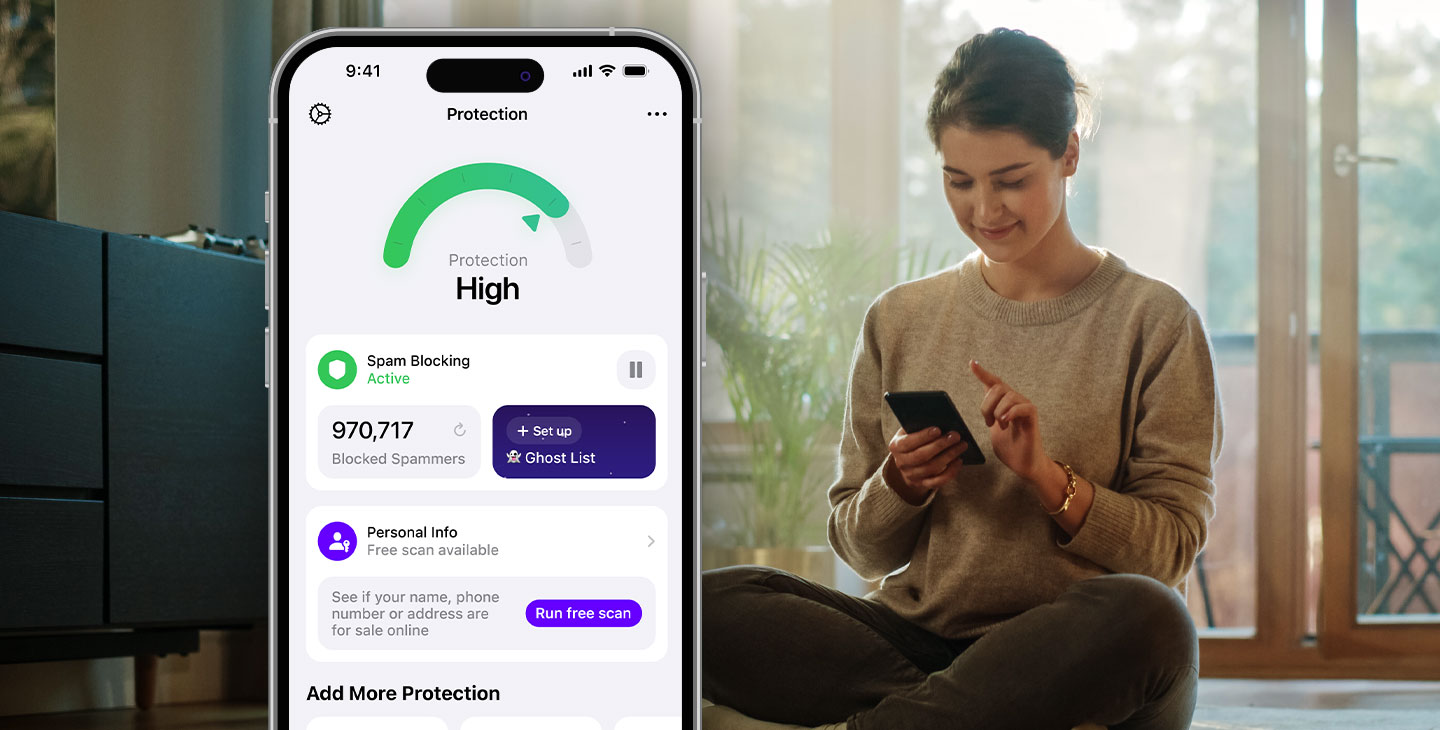
Block spammers and scammers
Stop annoying and dangerous calls, texts, and voicemails before they reach you. YouMail helps keep unwanted callers out while making sure important calls still get through.
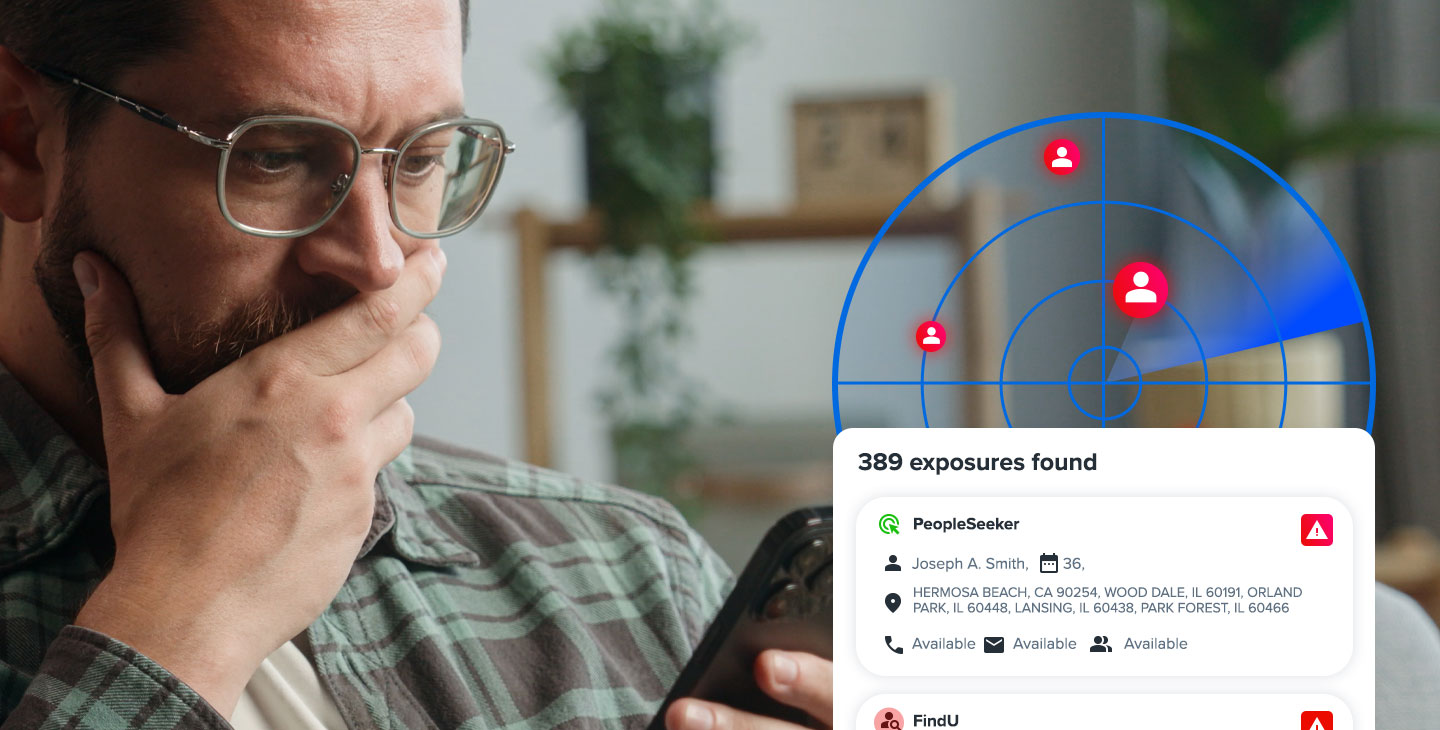
Get your personal info out of scammers’ hands
See where your information may be exposed online and take steps to remove it from data broker sites before it can be used for spam, scams, and unwanted outreach.

Protect your privacy
Know who’s calling before you answer and keep your real number private when you don’t want to share it. Features like call screening and second numbers help you stay in control of your communications.
Frequently asked questions
How do I protect myself and my privacy?
YouMail stops robocalls and spam from bothering you. With YouMail, you get taken off of spam lists and have access to premium services such as call screening to protect your security, so you can maintain your privacy and answer your phone confidently. When YouMail sees an illegal call, it can notify carriers, enterprises, and the authorities.
How do I free myself from carrier voicemail?
YouMail provides smarter visual voicemail with free voice to text and an awesome voicemail app. It filters spam voicemail messages, and is accessible not just on your phone, but on any device. It includes personal voicemail greetings and even allows callers to effortlessly join your free conference call.
How do I go virtual to grow faster?
YouMail virtual phone numbers provide a second phone number to separate personal from work calls, while keeping your cell phone private and protecting you from unwanted calls. Get a local phone number anywhere in the US.
Why YouMail?
YouMail has 13 million users, answered 10 billion calls, and stopped over 1 billion robocalls! Our reverse phone lookup service is used by millions every month. Our reputation monitoring and reputation management services protect carriers and enterprises. And our robocall index is used by government and industry as the definitive look at the robocalling problem.
How do I get a free phone number?
A virtual phone number is a brand new phone line that you add to your current mobile device. With YouMail, you can choose any area code and even completely customize your virtual number. You can share the number with your friends and family, separating your personal number from any communication. Adding a new virtual phone number is easy. Simply create an account with YouMail, enter your preferred area code and instantly view available numbers that you can reserve. Then, pick your number and choose the best YouMail plan that works for you. You can start with just one number or add up to 15 virtual numbers for your entire team. It all starts with our easy-to-use number picker.
How to stop spam calls and keep your mobile phone secure.
Blocking robocalls is YouMail’s #1 priority. YouMail offers personalized protection and maximum call blocking to stop robocalls from reaching your mobile phone.
How does YouMail’s reverse phone lookup work?
With YouMail Reverse Lookup, you can search for the caller details of any number in the US or Canada – landline, mobile, business or person. Use Reverse Lookup to learn a caller’s name, business, location, and even view a photo ID or website link if it’s available. You can quickly get in touch with the callers who are important and don’t worry about the ones you don’t know. It’s so easy to use a reverse phone lookup app. With YouMail all you need to do is access the main screen on your YouMail app and simply tap on the ‘Lookup Number’ icon. Then, simply type in the number you want to search. You’ll learn a caller’s name, business, location, and even view a photo ID or website link if it’s available. You can also check out our national phone lookup directory, where you can search for any phone number.
Why am I getting so many more scam and spam calls?
Spam robocalls have been on the rise and you may not be properly protected. You can track monthly robocall data on YouMail’s Robocall Index. To ensure maximum protection, download YouMail and subscribe to one of our services.
How do I report a scam phone number?
Reporting a scam phone number is easy. Simply visit YouMail’s Robocall Index and report the number that had called you. You can also hit the “Block or Report Spam” buttons in the YouMail app or enter the number on https://directory.youmail.com and report spam there.
How do I stop robocalls?
YouMail makes the best free call blocking app, period. Our technology offers the most premium experience, with rapid detection and protection unmatched by anyone on the market. Plus, we have the largest spam directory, so we’re able to shield you from more numbers than anyone else.
How do I update my caller ID to find out who is really calling me?
You can start using caller ID today by downloading the free YouMail app in the App Store or Google Play Store. Simply add your phone number and YouMail’s caller ID app for Android or iOS will begin protecting your mobile device. You can even add multiple new numbers to the same device and receive the same caller ID feature on each one.